
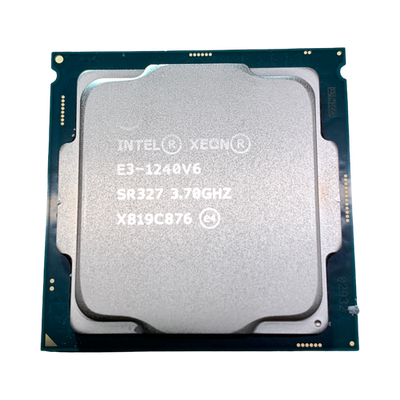

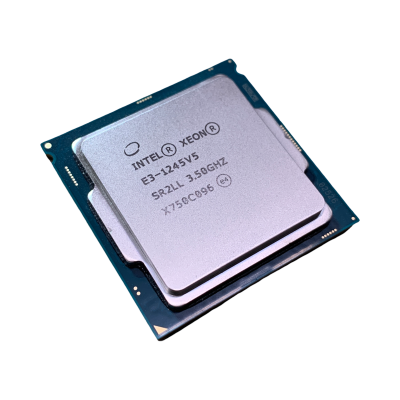
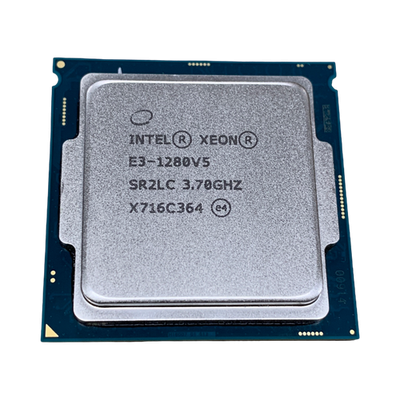
The Xeon E3 family was Intel's entry-level server line, aimed at small rack servers, towers and workstations rather than multi-socket datacentre machines. The v5 and v6 parts in this range are all quad-core, with 8MB of cache and base clocks from 3.00GHz to 3.90GHz. That makes them a sensible like-for-like replacement when a CPU fails in an older box, and an inexpensive upgrade when an E3-1220 is holding back a machine that could take something quicker.
At a glance
Typical deployments
Small office file and application servers
A tower or 1U box running file shares, a small accounting database or print services rarely needs more than four cores. Here clock speed matters more than anything else, because most small business software is lightly threaded. The E3-1230 v6 at 3.50GHz is a balanced choice that doesn't push the cooling.
Firewalls, routers and always-on appliances
For pfSense, OPNsense or a small hypervisor running a few utility VMs, power draw adds up over years of uptime. The v6 parts have a 72W TDP against 80W for v5, and the Xeon E3-1220 v6 is the low-cost entry point if throughput needs are modest.
Entry workstations
CAD, light modelling and development builds reward high single-core frequency. The E3-1280 v6 at 3.90GHz is the quickest chip in the range and the obvious upgrade for a workstation that shipped with a 3.00GHz part.
Fleet spares and like-for-like repairs
If you run several identical machines, keeping the same model and stepping avoids firmware surprises. Order by sSpec code, and stay within the generation the board was built for. A v5 board running the E3-1270 v5 is the simplest route to more speed without touching the BIOS.
If a workload has outgrown four cores entirely, a dual-socket platform makes more sense than chasing the top E3. Our Xeon E5 processors cover that step up for older two-socket servers.
Why buy from Compuwyze
- 12 month return-to-base warranty on every processor
- Orders for simple items placed before 2pm aim to ship the same day
- UK delivery is normally next working day once shipped
- Free UK delivery on orders over £50
- International shipping via FedEx, with economy and priority services
- Returns accepted within 30 days
Intel Xeon E3 FAQs
Will a Xeon E3 work in a standard desktop PC?
Often not. Support depends on the motherboard chipset and BIOS, not just whether the socket looks the same, and many consumer desktop boards won't accept Xeon E3 v5 or v6 chips. If you're checking which desktops are compatible with an E3-1245 v5 or similar, look up your board or system maker's CPU support list before ordering.
What is the difference between Xeon E3 v5 and v6?
In this range both generations are quad-core with 8MB of cache. The v6 models run at a 72W TDP against 80W for v5, and the v6 line reaches the highest clock here at 3.90GHz. A board designed for v5 may need a BIOS update before it recognises a v6 chip, so check with the system maker first.
What do the sSpec and part number codes mean?
The sSpec code, such as SR328 or SR2LJ, identifies the exact production version of a processor. Intel also used order codes beginning CM for tray chips and BX for boxed retail chips. When replacing a CPU, matching the sSpec is the safest way to get an identical part.
Do these processors come with a cooler?
Unless a listing says otherwise, assume you are buying the processor on its own. Reuse the existing heatsink and apply fresh thermal paste when fitting.
What should I upgrade to if the E3 isn't enough?
For a new single-processor build, the Intel Xeon E series replaced the E3 and needs a newer motherboard. If you'd rather start with a complete machine, our server configurator lets you spec a current platform to order.