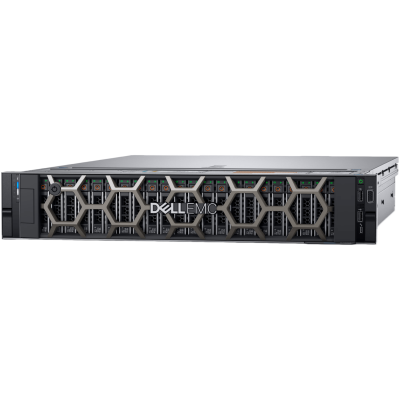
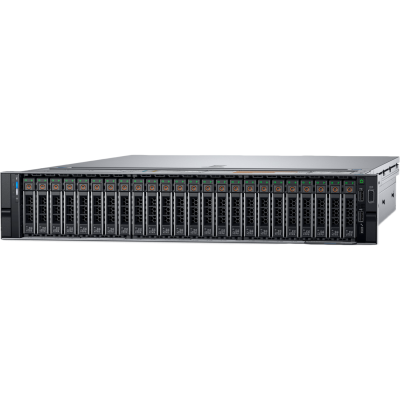
The Dell PowerEdge R740xd is the storage-focused 2U rack server in Dell's 14th-generation line. It suits jobs where drive capacity matters as much as compute, and a refurbished unit gives you that platform at a lower cost than buying new. Whether you call it the R740xd, the PowerEdge R740xd or the Dell R740xd server, the buying decision comes down to the same few questions: how much storage, which controller, and how much CPU and memory sit behind it. The notes below are here to help you answer them before you order.
At a glance
- Form factor
- 2U rack server, designed for standard rack deployments where drive density is a priority.
- Generation
- 14th-generation PowerEdge, the same generation as the R740 and the 1U R640.
- Configuration
- Processors, memory, drives and storage controller are all choices rather than fixed. Specify them in the configurator or confirm them on the product listing.
- Storage
- The drive layout is the reason to choose the xd over a standard 2U. Check the bay count, backplane type and any NVMe support on the exact unit you are buying.
- Storage control
- Choose a hardware RAID controller for conventional arrays, or an HBA where the operating system should manage the disks directly.
- Management
- Dell iDRAC for remote console, power control and hardware inventory, so the server can live in a rack you rarely visit.
R740xd or R740?
Both servers share a generation and a broadly similar platform, which is why searches for the R740 and R740xd so often overlap. The practical difference is storage. If your workload is compute and memory first, with modest local disk, the R740 range is usually the more sensible purchase. If you are building a file server, a backup target, a storage node or a database host that needs a lot of local disk, the R740xd is the better starting point because the chassis was designed around drive capacity.
Size matters too. If rack space is tight and you only need a handful of drives, the 1U PowerEdge R640 may do the job in half the height. Moving up from the previous generation, the R720xd and R730xd follow the same storage-dense idea, and the R740xd is the natural step up when you want a newer platform without changing how you rack and manage it.
Typical deployments
Software-defined storage
Ceph, ZFS and Storage Spaces Direct want the operating system to see every disk. Specify an HBA rather than a RAID controller, and put more weight on drive count and network bandwidth than on CPU clock speed.
Backup and archive repositories
Capacity per rack unit and rebuild behaviour matter most. Choose larger drives for the bulk tier, pick a RAID level that tolerates a failure during rebuild, and keep the CPU modest because the disks are the bottleneck.
Virtualisation hosts
Memory capacity runs out long before clock speed does. Populate DIMMs in matched sets, size the CPUs to your hypervisor licensing, and use the local drives for a fast datastore. Our virtualisation buying guide covers VMware and Hyper-V sizing in more detail.
Databases
Per-core licensing means fewer, faster cores usually cost less to run legally than a dense many-core part. Pair a high-frequency CPU with plenty of memory for caching, and keep transaction logs on separate, faster storage from the bulk data.
File and media servers
Sustained sequential throughput and network speed decide how it feels to users. Spread data across many drives, choose a network card that matches your switching, and do not overspend on processors that will sit idle.
Replacing ageing 2U storage servers
If an older 2U storage server is reaching the end of its life, the R740xd lets you keep the same rack footprint and management approach. Plan the migration around the drive layout and controller type, as those decide how easily data moves across.
Choosing a configuration
Start with the workload and work backwards. Decide how much usable storage you need, then choose drives and a RAID level to reach it with room to grow. Next, decide whether the controller should be RAID or HBA, because that is much harder to change later than a CPU or a DIMM. Finally, size processors and memory to the licensing and capacity your software needs, not to the largest figure on the list.
If you want a specific mix, the server configurator lets you build to order across our range, and the wider Dell PowerEdge range is worth a look if you are still deciding between models.
Why buy from Compuwyze
- Configured servers carry a 3 year return to base warranty, and simple items carry 12 months.
- Configured servers are aimed to ship within 2 business days, and simple items ordered before 2pm are aimed to ship the same day.
- UK delivery is normally next working day once shipped, and free on orders over £50.
- Larger or heavier items and bulk orders ship on pallets, using couriers including Royal Mail, FedEx, FDC and DHL.
- Returns are accepted for 30 days, with return shipping paid by the customer.
- Build to order: choose your own specification rather than settling for a fixed unit.
Frequently asked questions
What is the difference between the R740 and the R740xd?
Both are 14th-generation PowerEdge 2U servers. The R740xd is the one built around storage capacity, so it is the right choice when local drive count is the priority. The R740 suits workloads that lean on compute and memory instead.
How much does a refurbished R740xd cost?
The price depends on the processors, memory, drives and controller you choose, so there is no single R740xd price. Prices for ready-to-buy units are shown on this page, and the configurator shows how each option changes the total for a build of your own.
Should I choose a RAID controller or an HBA?
Choose RAID if you want the controller to manage arrays for a conventional operating system or hypervisor install. Choose an HBA if you are running ZFS, Ceph or Storage Spaces Direct, where the software expects direct access to each disk. State your preference when you configure the server.
Is the R740xd a good virtualisation host?
It can be, particularly when you also want a large local datastore. Prioritise memory capacity and check your hypervisor licence terms before choosing core counts. Where you want live migration, two identical hosts are usually better than one larger one.
I am replacing an R720xd. Is the R740xd the right step up?
It follows the same storage-dense approach on a newer platform, so racking and day-to-day management feel familiar. Compare drive layouts and controller types first, as those decide how simple the data migration will be. The R720xd page is useful for comparing what you have now.