
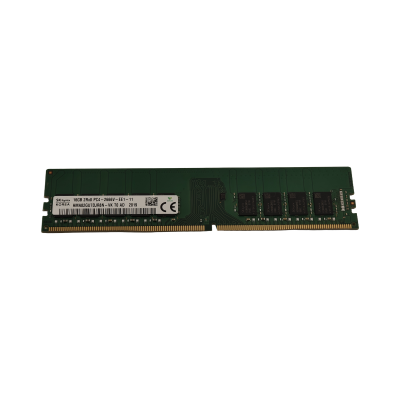
DDR4 remains the standard memory type across the vast majority of enterprise servers still in active service, and buying it refurbished is one of the most straightforward ways to cut the cost of a memory upgrade without touching performance. The key is matching module type, speed and rank to what your motherboard actually supports — get that wrong and the system will either refuse to boot or silently downclock every stick in the bank.
At a glance
Typical deployments
Virtualisation hosts
Hypervisor density lives and dies by memory capacity, not clock speed. Fill every populated channel with the largest module your budget allows before worrying about a few hundred MT/s — an under-provisioned host with fast RAM will still run out of headroom for VMs first.
Database servers
Where per-core licensing dominates the cost model, the priority shifts to feeding fewer, faster cores rather than maximising total capacity. Faster DDR4 speeds pay off here more directly than they do on a general-purpose host.
File and application servers
A balanced, mid-capacity configuration usually suits these workloads best. Match existing modules in the chassis for speed and rank rather than chasing the highest spec available.
Workstations
CAD, rendering and dev workstations benefit from higher-capacity single modules to leave DIMM slots free for later expansion, rather than filling every channel from day one.
Why buy DDR4 memory from Compuwyze
- Modules pulled and tested from genuine enterprise server deployments, not unknown-origin bulk stock
- Backed by our 12-month warranty for peace of mind on every purchase
- Speed, rank and capacity clearly stated so you can match existing memory without guesswork
- Support available if you're unsure which module your specific server generation requires
- A cost-effective route to expanding memory on hardware the manufacturer may no longer stock parts for
Frequently asked questions
What does "refurbished" mean for memory modules?
It means the module has previously served in a live server or workstation, was removed during a decommission or upgrade, and has been tested for correct function before being listed for sale rather than supplied as unopened new-manufacture stock.
Is refurbished DDR4 suitable for a production server?
Yes, provided it's correctly matched to your platform's supported speed, rank and capacity. Enterprise RDIMM and LRDIMM modules are built to run continuously in demanding environments, which is exactly the duty they were designed for originally.
Can I mix refurbished modules with what's already installed?
Generally yes, as long as the modules share the same type, speed rating and rank. Mixing capacities across channels is often supported too, but check your server's memory population rules first since some platforms are stricter than others.
How do I know which DDR4 module my server needs?
Check the maximum supported speed and module type in your server's technical manual, or look at the specification of memory currently installed. If you're unsure, get in touch with the details of your server model and we can help you identify the right part.
Will adding more memory require a firmware or BIOS update?
Usually not for straightforward capacity increases within the platform's existing limits, but it's worth checking your server's release notes if you're populating channels that were previously empty or approaching the board's maximum supported capacity.