-
 £216.00 £180.00
Out of stock
-
-
-
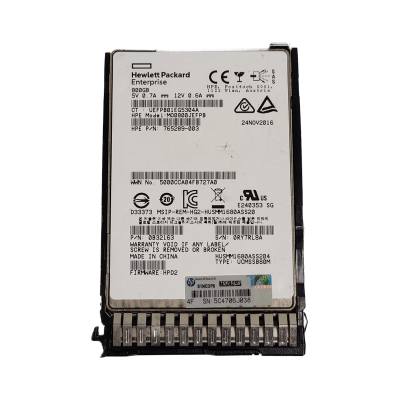 £240.00 £200.00
Out of stock
-
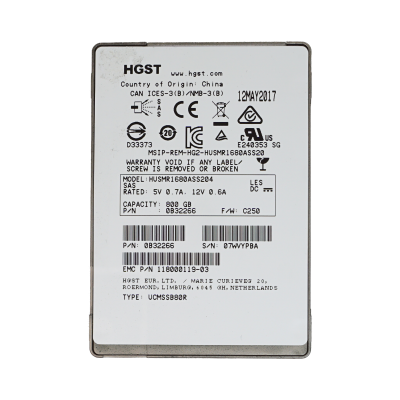 £180.00 £150.00
Out of stock
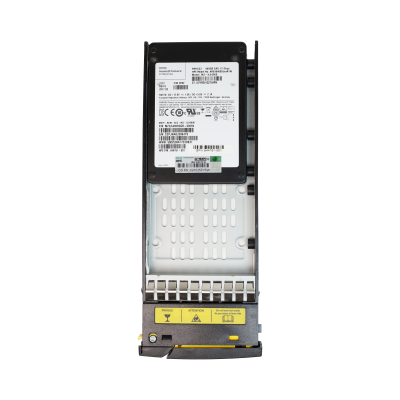
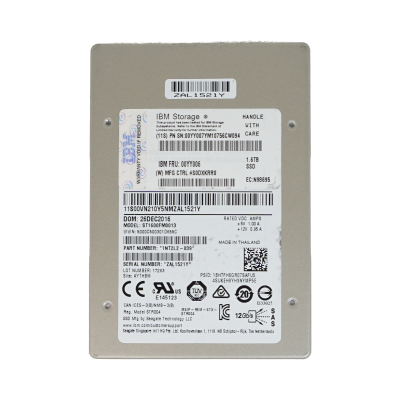
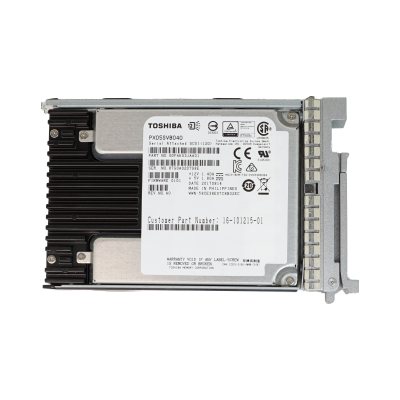
A 2.5in SAS SSD sits in a hot-plug carrier at the front of a rack server or SAS disk shelf. It connects to a RAID controller or HBA over 12Gb SAS. These drives are built to run around the clock behind a controller, often with two paths to the same drive, which is why so much refurbished enterprise flash comes in this format. Many buyers searching for M.2 SSDs or NVMe SSDs are really after faster flash for a server. The notes below explain how SAS, SATA, M.2 and NVMe differ and which endurance class suits which job, so you can match the drive to the bay and controller you already have.
At a glance
SAS, SATA, M.2 and NVMe SSDs compared
M.2 and 2.5in describe the physical shape of a drive. SAS, SATA and NVMe describe how it talks to the system. Confusing the two is the most common reason a drive arrives and won't fit, so it helps to know which pair of answers your server needs.
2.5in SAS SSD
This is the standard drive for rack servers with SAS backplanes and for external shelves that take 2.5in SAS drives, including HPE MSA arrays. It is hot-plug, dual-port and managed by a RAID controller, so you can swap a failed drive without powering down. HPE-numbered drives such as the Samsung PM1643a 3.84TB (P20835-001) are the natural fit for HPE kit. For arrays, check the drive against the vendor's supported list before ordering.
2.5in SATA SSD
A SATA SSD is the same physical size, but it has a single port and a 6Gb/s link. It costs less per terabyte and is sensible for boot volumes, light virtual machines and servers with SATA-only backplanes. Because it lacks a second port, it is not suited to dual-controller arrays.
M.2 SSD
An M.2 SSD is a bare circuit board, commonly 22mm wide and 80mm long (the 2280 size). It mounts directly on a motherboard or an adapter card. An M.2 drive can be SATA or NVMe depending on the module and the slot, so a 1TB M.2 SSD bought for a desktop will not necessarily work in every M.2 slot. In servers, M.2 is mostly used for mirrored boot devices on OEM adapter cards rather than for data, because the drives usually cannot be hot-swapped from the front of the chassis. Consumer M.2 drives also differ from enterprise flash in endurance and power-loss protection. Our guide to enterprise versus consumer SSDs explains why that matters.
NVMe SSD
NVMe is a protocol that runs over PCIe rather than SAS or SATA, which lowers latency and raises throughput. NVMe drives come as M.2 modules, 2.5in U.2 and U.3 drives, and add-in cards. A 2.5in NVMe drive looks much like a SAS SSD, but it needs a bay wired for PCIe and will not work on a SAS-only backplane. Moving to NVMe in an existing server often means a new backplane or cabling, not just new drives.
If your server already has SAS bays and a SAS RAID controller, a SAS SSD is usually the simplest upgrade from spinning disks. You need no new controller or backplane, and your existing RAID tools and monitoring still apply.
Typical deployments
Virtualisation datastores
A host running dozens of VMs generates random, mixed IO and its storage keeps growing. Prioritise capacity per bay and consistent latency over headline sequential figures. Read-intensive 3.84TB or 7.68TB drives in RAID 10 suit most hosts. Step up to mixed use if a handful of VMs write constantly.
Databases and transaction logs
Transaction logs are small but write all day. Put them on a mirrored pair of mixed-use drives such as the Samsung PM1635a 1.6TB mixed-use SSD, and keep data files on larger read-intensive drives. For the log volume, endurance matters far more than capacity.
Storage arrays and disk shelves
In an array, dual porting and firmware consistency count for more than raw speed. Match the OEM part number already fitted, such as the HPE 844761-001 400GB SAS SSD, and keep firmware aligned across each RAID group. Check the array's compatibility list before mixing drive models.
Read-heavy file and web storage
File shares, web content, analytics data sets and VDI golden images are read far more often than they are written. Large read-intensive drives give you the most terabytes per bay. That matters when a 1U or 2U chassis has a fixed number of slots and you would rather not add a shelf.
Boot and hypervisor volumes
A mirrored pair of 250GB to 400GB SAS SSDs is plenty for an operating system or hypervisor. It also keeps the boot volume on the same hot-plug, controller-managed path as everything else. If the server supports an M.2 boot adapter, using one frees the front bays for data drives instead.
Caching and software-defined storage
ZFS log devices, Storage Spaces Direct cache tiers and Ceph metadata all absorb a lot of writes for their size. Choose mixed-use drives such as the Micron S630DC 3.84TB (01NN772). Run the controller in HBA mode so the software sees each disk directly rather than through a RAID layer.
Why buy from Compuwyze
- Enterprise SAS flash from Samsung, HGST, Western Digital and Micron, with HPE, Dell, Lenovo, IBM and Huawei part numbers for like-for-like replacements.
- A 12-month return-to-base warranty on drives, explained in full on our warranty information page.
- We aim to ship drive orders placed before 2pm the same day, and UK delivery is normally next working day once shipped.
- Free UK delivery on orders over £50, sent by couriers including Royal Mail, FedEx, DHL and FDC, with pallet shipping for bulk orders.
- International delivery through FedEx economy and priority services, usually within two to five days.
- Returns accepted within 30 days, with return shipping paid by the customer, as set out in our returns policy.
Frequently asked questions
Can I fit a SAS SSD in a server that only has SATA ports?
No. A SAS drive needs a SAS controller and a SAS backplane, and the connector is keyed so it cannot be plugged into a SATA-only port. The reverse does work, because SAS controllers will run SATA SSDs. If you are unsure what your server has, check the storage controller model in the BIOS or the management interface before ordering.
Is an M.2 SSD faster than a 2.5in SSD?
Not by itself, because M.2 is only a shape. An M.2 SATA drive performs much like a 2.5in SATA SSD. An M.2 NVMe drive is quicker because of the NVMe protocol, not the form factor. In a server, a 12Gb SAS SSD gives you double the link speed of SATA, hot-plug replacement and dual porting. For an always-on system, those usually matter more than peak benchmark figures.
What is the difference between Read Intensive and Mixed Use SAS SSDs?
The difference is endurance, usually quoted as drive writes per day (DWPD) over the warranty life of the original drive. Read Intensive drives carry a lower write rating and suit the large majority of server workloads, which read far more than they write. Mixed Use drives are rated for heavier sustained writes and are the better choice for database logs, caches and write-heavy VMs.
Will an HPE or Dell part-numbered drive work in another brand's server?
SAS is a standard interface, so OEM-labelled drives often run in other vendors' servers when fitted in the correct carrier. However, OEM firmware, health reporting and management tools differ. Some servers flag drives that do not carry their own part number, and storage arrays are usually stricter still. We cannot guarantee cross-vendor compatibility, so match the part number wherever support or array firmware depends on it.
How do I check how much life a refurbished SSD has left?
SSDs wear through writes rather than running hours. Once the drive is installed, your RAID controller's management software or a SMART utility will report its wear indicator or percentage used. Compare that figure with your actual daily write volume to estimate how long the drive will last in your workload.
Do I need a drive caddy as well?
Most OEM server and array bays need the vendor's own carrier to seat a 2.5in drive and show its status LEDs. Check the product listing to see whether a carrier is included. If you are replacing a drive, you can also move the existing caddy across to the new one.