
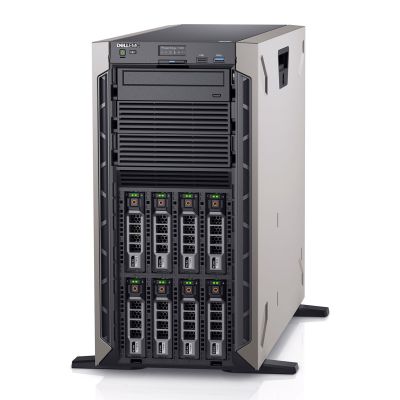
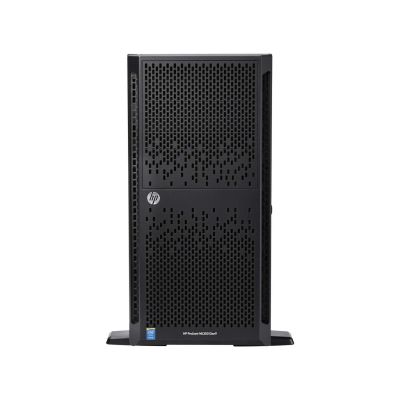
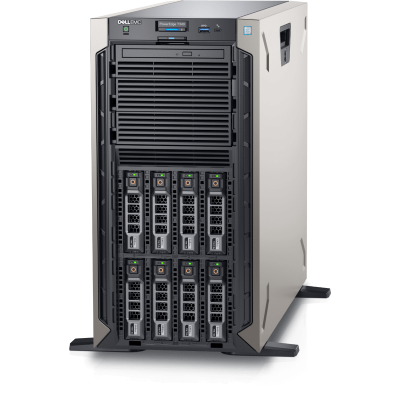
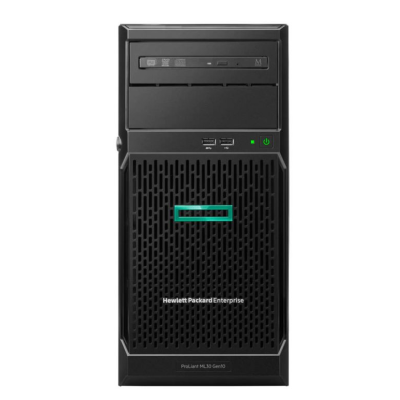
A tower server is the right answer more often than people expect. If you have one or two machines to house and nowhere sensible to put a rack, a pedestal chassis gives you the same enterprise components — ECC memory, hardware RAID, redundant power on the larger models, out-of-band management — in a case that sits quietly under a desk or in a cupboard. Acoustics are usually better than a 1U or 2U equivalent, because the fans are larger and turn more slowly.
At a glance
- Form factor
- Floor-standing pedestal chassis. Many models accept an optional rack conversion kit, typically 4U or 5U, if the deployment later moves into a cabinet.
- Sockets
- Single-socket entry models through to dual-socket towers. Single-socket suits file, print, backup and small application roles; dual-socket is where virtualisation hosts and multi-role servers live.
- Memory
- Four DIMM slots at the entry level, rising to sixteen or more on dual-socket platforms. Registered ECC DIMMs on the higher-end boards; some entry towers take unbuffered ECC only, so check the model before ordering memory.
- Drive bays
- Four to sixteen bays depending on generation and chassis, in 3.5in LFF or 2.5in SFF layouts. Hot-plug backplanes on most mid-range and above; cabled, non-hot-plug on the cheapest configurations.
- Storage controller
- Onboard SATA or a dedicated RAID card — Dell PERC, HPE Smart Array — with battery- or capacitor-backed cache on the models intended for database and virtualisation work.
- Expansion
- Full-height, full-length PCIe slots. Towers are the easy choice for GPUs, tape HBAs and multi-port NICs that won't physically fit a low-profile rack riser.
- Management
- Dell iDRAC or HPE iLO for remote console, power control and hardware health, licence level varying by configuration.
- Power
- Single fixed PSU on entry units; redundant hot-plug supplies on larger towers. Standard 13A mains, so no special provisioning needed.
Typical deployments
First server for a small office
Domain controller, file shares, maybe an accounts application. Prioritise drive bays and a proper RAID controller over CPU — a modest processor will idle through this workload. Aim for enough bays to run RAID 1 or 10 with a spare, and check the noise level if it's sharing a room with people.
Virtualisation host
Memory capacity is the constraint you'll hit first, not clock speed. Pick a dual-socket tower with sixteen DIMM slots and populate it properly rather than buying faster cores. Hot-plug bays matter here too, because a failed disk under a hypervisor shouldn't mean downtime for every guest.
Database server
Per-core licensing inverts the usual logic: fewer, faster cores beat many slow ones. Choose a high-frequency CPU with a generous cache, put the data on SSDs, and specify a controller with protected write-back cache. Then max the RAM — a working set held in memory is the cheapest performance you can buy.
Backup and archive target
Capacity per pound is what counts. Large-form-factor towers taking eight to sixteen 3.5in nearline SATA drives give you bulk storage cheaply, and the full-length PCIe slots leave room for an LTO tape HBA or a second 10GbE NIC for the backup network.
Branch and remote sites
No comms room, no on-site IT. Working iDRAC or iLO is non-negotiable — it's how you fix a boot problem from two hundred miles away. Keep the configuration simple and identical across sites so spares are interchangeable.
Lab, CAD and rendering
Towers take double-width GPUs and have the airflow and PSU headroom to feed them, which rack chassis of the same price rarely do. Check power supply wattage and available auxiliary connectors against the card you intend to fit before you commit.
Why buy from CompuWyze
- Every tower is tested under load and functionally verified before it's listed, not simply powered on and boxed
- 12-month warranty on refurbished servers, so a production deployment isn't a gamble
- Configurations built to your spec — CPUs, memory, drives, RAID controller and NICs fitted before dispatch
- Firmware and BIOS brought up to date, and storage securely wiped as standard
- Dell and HPE platforms held side by side, so we can advise honestly on which fits the workload
- Spares and matched components available later, which keeps a fleet consistent as it grows
Frequently asked questions
What does refurbished actually mean here?
Enterprise hardware that has come off a previous deployment, been stripped, cleaned and inspected, then rebuilt to a known configuration and tested. Storage is wiped, firmware updated, and any component that fails testing is replaced rather than passed on. Cosmetic marks on a chassis are possible; functional shortcuts are not.
Can I run a refurbished tower in production?
Yes — that's what most of these machines are bought for. The components are the same enterprise-grade parts that were specified new: ECC memory, RAID with cache protection, redundant power on the larger models. The sensible precautions are the same as for new kit: RAID with a hot spare, tested backups, and monitoring through iDRAC or iLO.
Tower or rack — how do I decide?
Count your servers and check whether you have a cabinet. One or two machines with no rack means tower, every time; you avoid buying a cabinet, PDUs and rails for a single unit. Towers also run quieter and take full-size expansion cards. Once you're past three or four servers, or you're paying for colocation space, racking becomes the cheaper option — and many towers ship with a conversion kit available for exactly that transition.
What's included with the server?
The chassis as configured — processors, memory, drives, controller and power supplies as listed on the product page — along with the power lead. Drive caddies are supplied for populated bays. Operating system licensing, rack conversion kits and rails are separate items; ask if you need them quoted alongside.
Can it be upgraded later?
Generally yes, within the limits of the platform. Adding memory, filling empty drive bays, fitting a second CPU on a dual-socket board or dropping in a 10GbE card are all routine. What you can't change is the generation itself, so if you expect significant growth, buy the chassis with the DIMM slots and bays you'll eventually need rather than the smallest one that works today.
Will you configure it to my specification?
We do. Tell us the workload, the storage layout and the operating system you plan to run, and we'll assemble and test the machine before it ships. If you're unsure whether the memory type or controller you have in mind is supported on a particular model, ask before ordering it's a quicker conversation than a return.