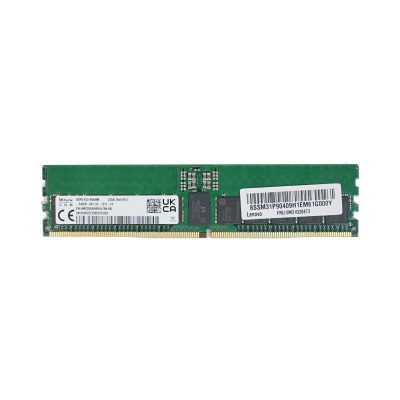


DDR5 is the memory standard behind the newest dual-socket servers, and it is where most capacity upgrades now happen. Refurbished DDR5 RAM lets you fill a new-generation host to the capacity your workloads need without paying new-module prices for every slot. The notes below cover what to match, how to plan capacity, and where 64GB modules make the most sense.
At a glance
Typical deployments
Virtualisation hosts
Memory runs out before CPU does on most hypervisors. Prioritise capacity per host over the fastest rated speed, and use 64GB modules so you can reach 512GB or more while leaving slots free. Our guide to servers for VMware and Hyper-V covers sizing in more depth.
Database servers
Per-core licensing makes RAM the cheaper way to buy performance. A large buffer pool in memory cuts disk reads, so fill channels evenly with matched modules rather than chasing a higher CPU core count.
Analytics and in-memory workloads
Bandwidth matters as much as capacity here. Populate every memory channel on each socket so the processor can use its full memory bandwidth, even if that means smaller modules in more slots.
Upgrading an existing host
Match what is installed rather than mixing. If you are unsure whether you need RDIMMs or LRDIMMs, read RDIMM vs LRDIMM explained before ordering. For a 15th-generation machine such as the PowerEdge R750, stay with DDR4.
Why buy from Compuwyze
- 12-month return-to-base warranty on memory modules, with full terms on our warranty information page
- Orders for simple items placed before 2pm are aimed to ship the same day
- Free UK delivery on orders over £50, normally next working day once shipped
- International shipping by FedEx, with economy and priority services
- 30-day returns, as set out in our returns policy
- Need a whole host rather than parts? Spec one in the server configurator
Frequently asked questions
Can I use DDR5 RAM in a DDR4 server?
No. The two standards have different key notches and electrical designs, so a DDR5 module will not seat in a DDR4 slot. Check your server generation before ordering.
Will desktop DDR5 work in my server?
Servers expect registered ECC modules. Desktop DDR5 is unbuffered and will not be recognised by a platform built for RDIMMs, even though both are called DDR5.
Is 64GB per module the right choice?
For most dual-socket hosts it is a sensible balance of cost and headroom. It reaches 512GB with eight modules and leaves room to grow. If you need every channel filled for bandwidth but less total memory, smaller modules across more slots can suit better.
Can I mix refurbished DDR5 with the modules already in my server?
It can work if capacity, rank and speed match, but mixed sets often run at the slowest module's speed. Matching the part number of your existing memory is the safest route.
Is used DDR5 RAM reliable for production servers?
Server memory has no moving parts and ECC corrects single-bit errors as they occur, which makes refurbished memory a low-risk upgrade. Your server's management controller will also log any memory errors so a failing module is easy to identify.